Logging In and Out | ||
| ||
Log In to ENOVIA Products
In your Web browser, navigate to the URL or link provided to you.
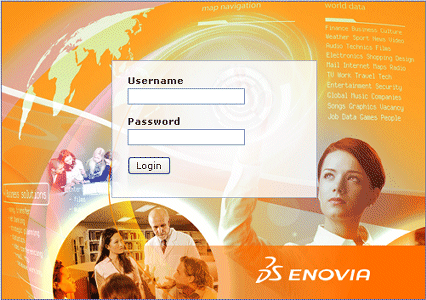
You cannot log into the same ENOVIA Live Collaboration system from different machines at the same time, although you can log in using multiple browser windows on the same machine. If your company uses multiple servers, such as one for the production environment and one for the development environment, you can log into both systems from the same or different machines.
Click Login.
If your company uses security context, you see the "Choose a Security Context" screen.
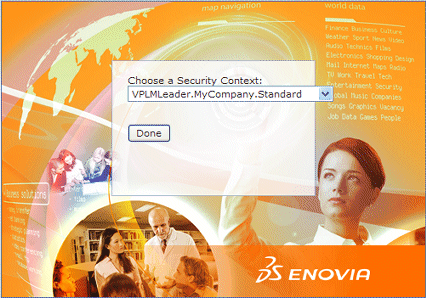
You only see this screen if you have more than one context assigned to you. Choose the one you want to use for this session and click Done.
The ENOVIA user interface opens. The
 and Actions menus contain
the applications you have access to and the options appropriate for the
roles you are assigned. The largest section of the window shows the Home
page.
and Actions menus contain
the applications you have access to and the options appropriate for the
roles you are assigned. The largest section of the window shows the Home
page.If you see a message that a license is not available or you have not been assigned a license for a needed ENOVIA product, contact your ENOVIA Business Administrator.

Log Out from ENOVIA Products
-
Click the Logout
 tool in the global toolbar.
Depending on how your system is set up, the system returns you to the Login page or to the page you used to launch ENOVIA products. If you logged in using a centralized login page, which logged you into applications other than just ENOVIA products, you will not be logged out of that system until you close the browser window. (If you are not sure if the login is centralized, close the browser to be sure you are logged off.)
If you click the Logout tool and the Application Menu page displays or the applications remain open, your system may not be configured properly. Close the browser window to log out and contact your Administrator.
On PCs and Unix systems, closing the browser logs you off the applications and is the same as using the Logout tool, as described above.
On Macintosh systems, exiting the browser does not log you out. Instead, you must use the Logout tool to log out. For example, when using ENOVIA products on a Macintosh, suppose you quit the browser, instead of logging out as described above. You then open the browser again and enter your login URL. Instead of opening the Login page to ask for your user name, the system opens the main ENOVIA products window and the user who logged in prior to quitting the browser is the current user.