Check the required resource rule for which the usage for the feature/option
needs to be modified.
From
the page Actions menu, click Assign Resource Usage for Selected.
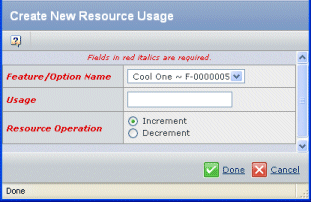
From the list, select a Feature/Option Name . The
list shows all the feature/option pairs defined for the related product
or feature.
Specify the Usage quantity to increment or decrement.
Select either Increment or Decrement to specify the Resource
Operation.
Click Done.
|