Click the Name of the template you want to edit.
Choose the task you want to create a question for. Do not choose a task that already has a question, as indicated by a red check mark in the right column.
Click Create Question from the Actions menu or page toolbar.
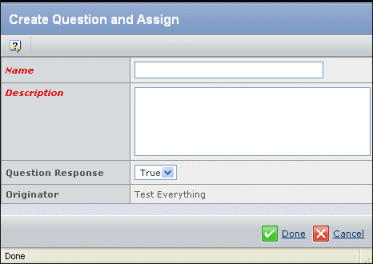
Enter these details for the question:
Name. The name for the question.
Description. The text of the question.
Question Response. The response that adds the task to a project:
Once you save the Question Response, you cannot change it.
- True. The task will only be added if the project creator chooses True for the question.
- False. The task will be only added if the project creator chooses False for the question.
Click Done.
On the Edit WBS and Work Breakdown Structure pages, a check mark appears in the ? column for all tasks requiring an answer to a question.